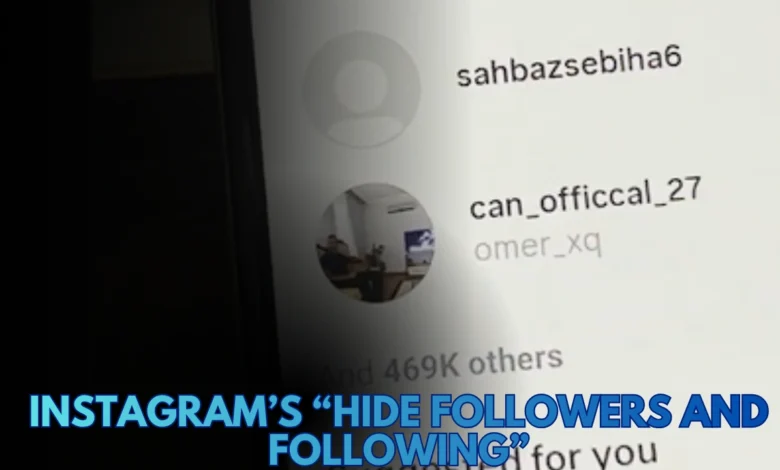
Instagram’s “Hide Followers and Following” Feature: Is It Real or Coming Soon in 2025?

Instagram has come a long way from being a simple photo-sharing app. By 2025, it’s a complex social network where privacy and control matter as much as content.
Yet, one of the most common questions users still ask is:
“Can I hide my followers or following list from others — even from my followers?”
If you’ve seen Reels or posts claiming that Instagram has released a new “Hide Followers and Following” feature, you’re not alone. The topic went viral in mid-2025 after users started reporting a mysterious option appearing in their privacy settings.
In this guide, we’ll break down:
- Whether the feature really exists,
- Why so many users want it,
- What you can do right now to protect your privacy, and
- What updates Instagram may release next.
Why Users Want to Hide Their Followers
Let’s be honest — social media privacy has become a major issue. Below is a quick breakdown of why millions of users want to hide their followers and following lists:
| Reason | Explanation |
|---|---|
| Privacy | People don’t want others to see who they interact with or follow. |
| Avoid Stalking | Many users are tired of strangers or acquaintances checking who they follow. |
| Professional Accounts | Influencers and brands prefer to hide competitor research or collaborations. |
| Personal Life | Some users want to keep romantic or private connections invisible. |
| Social Pressure | Avoiding the “why do you follow them?” type of conversations. |
Instagram has taken steps toward improving privacy — like story controls and hidden likes — but hiding followers is still a gray area.
Does This Feature Really Exist?
Short answer: Not officially — yet.
As of November 2025, Instagram has not released a global feature called “Hide Followers and Following”.
However, there’s strong evidence that Meta is testing it in limited regions.
Reports from users (mainly from Europe and Asia) since July 2025 show a new toggle under:
Settings → Privacy → Account Privacy → Hide Followers and Following.
When activated, it allegedly hides the follower and following counts from public view — meaning only the account owner can see them.
Status: Not officially confirmed.
Scope: Possibly in A/B testing or beta rollout.
Implication: If feedback is positive, Meta could release it globally in 2026.
What You Can Do Right Now
Even though the feature isn’t fully available, there are effective ways to limit who can see your followers.
Here’s how to protect your privacy using current tools:
Set Your Account to Private
This is the simplest and most effective way.
Steps:
- Open Instagram → tap your profile picture.
- Tap the three-line menu (☰) in the top right.
- Go to Settings and Privacy → Account Privacy.
- Turn on Private Account.
✅ Only approved followers can now see your profile and follower list.
❌ But note: existing followers can still see your list unless you remove them manually.
Remove Unwanted Followers
To prevent specific people from seeing your follower/following lists:
Steps:
- Go to your profile → Followers.
- Find the person → tap Remove.
- Confirm when prompted.
They won’t be notified — and since your account is private, they lose access to your follower list entirely.
Restrict or Block Users
If removing isn’t enough:
- Restrict: Limits a user’s interaction without fully blocking them.
- Block: Prevents any access to your profile or lists.
How:
- Go to the user’s profile.
- Tap ⋮ (three dots) → choose Restrict or Block.
Use “Close Friends” for Sharing
While this doesn’t hide followers, it limits who sees your posts and stories.
Use it to create a trusted circle for personal content.
Secondary (Private) Accounts
Many users create secondary or “finsta” accounts for private sharing.
These alternate profiles allow you to keep personal activity separate from your public image — especially useful for influencers or business owners.
The “Hide Followers” Rumor Explained
So where did the rumor start?
In July 2025, several Reels went viral claiming that Instagram had rolled out a new privacy toggle:
“Tap the three lines → go to Privacy → Hide Followers and Following.”
The video suggested this was a hidden feature that only certain users had.
After investigation:
- Some Android beta users did find the label “Hide Followers and Following” in the app’s code.
- Tech sources like Android Authority and XDA Developers mentioned this as a test flag, not a live feature.
- Meta has not publicly confirmed it on any official channel.
So yes — it might be coming, but no, it’s not available yet for all users.
Future Instagram Privacy Updates (Expected 2025–2026)
Meta has been investing heavily in user privacy tools. Based on developer leaks and past updates, here’s what’s likely coming next:
| Upcoming Feature | Description | Status |
|---|---|---|
| Hide Followers/Following | Hide your connections from public or followers. | In testing |
| Advanced Restrict Mode | Restrict multiple users with one tap. | Beta |
| Story View Blocking 2.0 | Choose who can see or reply to specific stories. | Active |
| Anonymous Browsing | View public content without showing your profile in activity logs. | Planned |
| Close Friends Profile Mode | Entire profile visible only to selected friends. | Concept stage |
These updates reflect a broader trend: Instagram is gradually adopting “Privacy by Design”, a Meta initiative ensuring that user control is central to every new feature.
Advanced Privacy Tips (Expert Level)
Beyond the default settings, here are expert-level privacy hacks that many users overlook:
- Review app permissions:
Go to your phone settings → Apps → Instagram → Permissions. Disable unnecessary access (e.g., contacts, location). - Filter offensive comments:
Settings → Privacy → Comments → Turn on “Hide offensive comments.” - Control tags and mentions:
Allow only people you follow to tag or mention you. Prevents spam exposure. - Clear old third-party app connections:
Revoke access for any analytics or follower-tracking apps — they often violate privacy policies. - Regular privacy audits:
Every few months, check who follows you and who you follow. Remove inactive or unknown accounts.
FAQ: Hiding Followers on Instagram
Q1: Can I hide my followers from everyone?
Not yet. Currently, the only way is to make your account private and manage your follower list manually.
Q2: Why can’t I see the “Hide Followers” option others mention?
Because it’s still in testing. Only a small number of users are part of that experimental rollout.
Q3: Will this feature roll out globally?
If tests succeed and feedback is positive, global release could happen by mid-2026.
Q4: Can I hide who I follow but still show my followers?
No — the two lists are linked. Hiding one usually means hiding both.
Conclusion
As of 2025, Instagram’s “Hide Followers and Following” feature is not globally available — but it’s very likely in development.
Meta appears to be testing it quietly with a select group of users to gauge response.
In the meantime, the best privacy strategies are:
- Set your account to Private,
- Remove or restrict followers you don’t trust,
- Use Close Friends for private sharing,
- And stay updated with app releases.
Pro Tip: Keep your Instagram app updated regularly. Privacy settings often appear in silent updates before public announcements.
Instagram is moving toward a “control-first” future, where you decide exactly who sees what.
And when that “Hide Followers” toggle finally rolls out globally, you’ll already be ahead of the curve.